Get the Newsletter
Sign up for our newsletter because we provide best practices, insights and more about SecOps, Security Engineering and more!
Thank you! Your submission has been received!
Oops! Something went wrong while submitting the form.

If you're running Cribl Cloud and pulling data from REST APIs, this one's for you.
The Cribl REST Collector is one of the most powerful and versatile tools in the Cribl Stream ecosystem. It lets you ingest data from virtually any REST API endpoint — internal tools, SaaS vendors, security platforms, and beyond. While the REST Collector is powerful and flexible, running it reliably in production requires a few important considerations. I've seen a few subtle configuration pitfalls that are easy to overlook during initial setup but slowly erode data quality in production.
And then there's the AWS Load Balancer layer sitting underneath Cribl Cloud — the infrastructure you don't think about until something silently breaks.
Let us walk through the best practices I wish someone had handed me on day one, followed by a few AWS Load Balancer behaviors worth being aware of when running collectors at scale.
Part 1: Cribl Cloud REST Collector Best Practices
1. Get Your Authentication Right the First Time
The REST Collector supports Basic, Google, OAuth, and header-based authentication. I'm so excited they added HMAC! For any service that returns a JSON web token, Login authentication is generally the best choice. But here's the nuance: if your token has a short TTL, your collection job might start authenticated and then lose its session mid-pagination. Map your token lifecycle to your expected collection duration and build in margin.
For API key-based services, consider using Collect Headers with C.Secret expressions rather than hardcoding values. This keeps secrets out of your configuration JSON and integrates with Cribl's secrets management.
2. Pagination Is Where Most Collectors Silently Fail
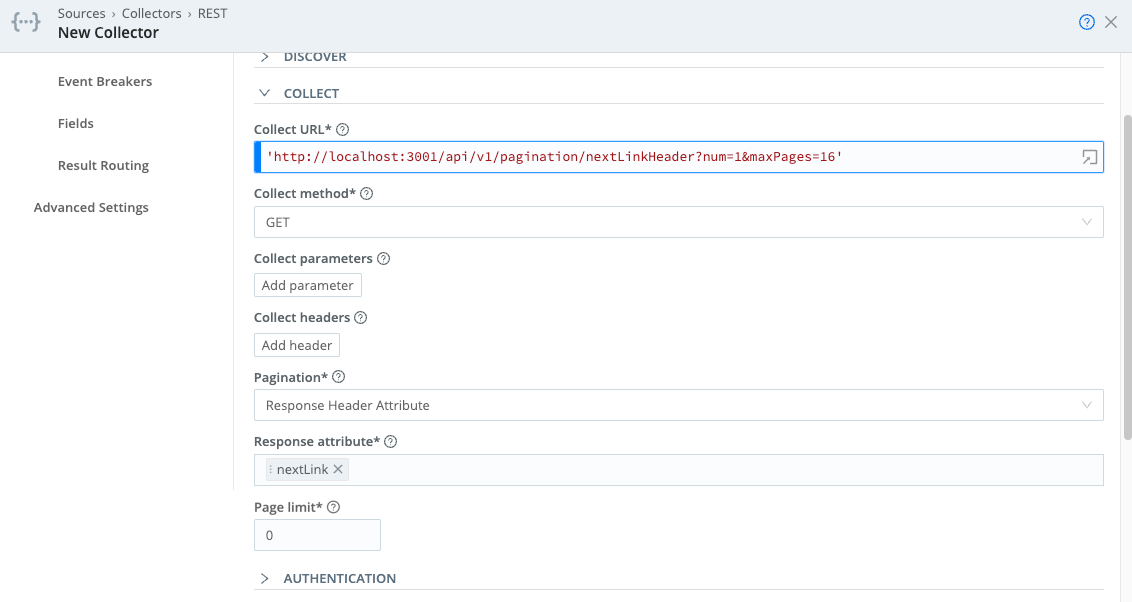
Pagination configuration is one of the most important areas to validate when building collectors. Cribl supports several pagination schemes — Response Body Attribute, Response Header Attribute, RFC 5988 Web Linking, and Offset/Limit. Each upstream API behaves differently, and choosing the wrong scheme (or misconfiguring the right one) means you collect page one beautifully and then lose everything else.
Key things to watch:
3. Event Breakers: An Area That Rewards Careful Configuration
Many REST APIs return nested JSON arrays. If you're using the default System Event Breaker, you'll get one giant blob instead of individual events. Configure a JSON Array Event Breaker that targets the specific array attribute in the response.
Watch for the __timeoutFlush internal field on your events — its presence means events were flushed because the Event Breaker buffer timed out, often due to large payloads or backpressure. If you see this, adjust your Event Breaker buffer timeout setting.
Also be aware that if the same Collector intermittently falls back to the System Default Rule, the issue is often the Min Raw Length setting on your custom breaker. Cribl uses a substring of the incoming data to determine which breaker to apply, and if it can't match, it falls back silently.
4. State Tracking: Important Behaviors to Understand
State tracking prevents duplicate data and gaps between collection runs by remembering where the last job left off (typically the greatest _time value). But there are critical gotchas:
5. Respect Upstream Rate Limits (Before They Enforce Themselves)
When the upstream API starts returning 429 retry responses, your Collector is already in trouble. Proactively manage this by lowering the number of parallel Discover/Collect tasks, increasing the interval between scheduled runs, and adjusting pagination to request fewer records per page.
Cribl recently added support for a configurable "Retry-After" header name", which lets you specify custom headers for rate limiting — essential for APIs that don't use the standard header.
6. Mind Your Concurrency Limits
Cribl Stream imposes global limits on concurrent jobs and tasks to protect system resources. When multiple Collectors (REST, S3, Office 365, etc.) run concurrently, they can exceed these limits — and Cribl may skip your REST Collector job entirely. Disable the "Skippable" setting on critical collectors to ensure they queue rather than get dropped. And configure "Resume missed runs" so that if the Leader restarts, your jobs pick back up. Cribl Stream concurrency involves many variables across your Worker Group(s).
7. Use REST Collector Packs When Available
Before building a collector from scratch, check the Cribl Dispensary for pre-built Packs. These are fully configured packages that handle authentication, pagination, error handling, and event normalization for popular vendors like Okta, CrowdStrike, and others. They save significant development time and have been tested against real-world API quirks. They are also a great starting point for bespoke use cases.
Bye For Now
We'll be back next week with Part 2 of this series!
Let’s talk about how Blue Cycle can help with your security operations.
Book an Assessment